


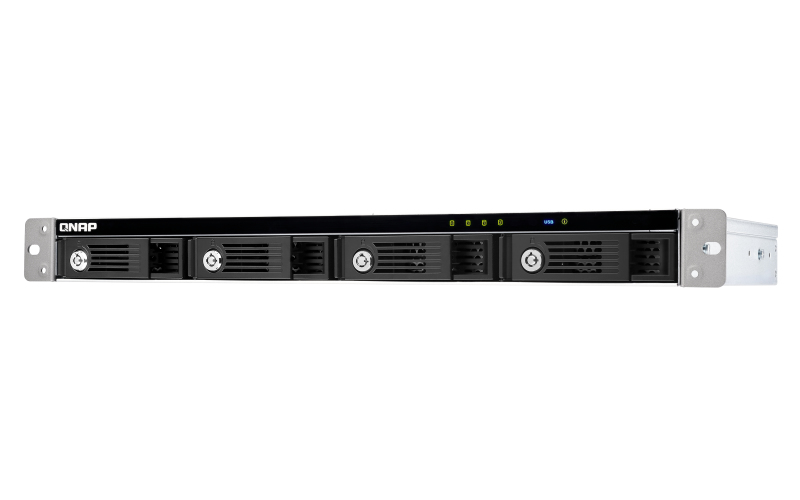
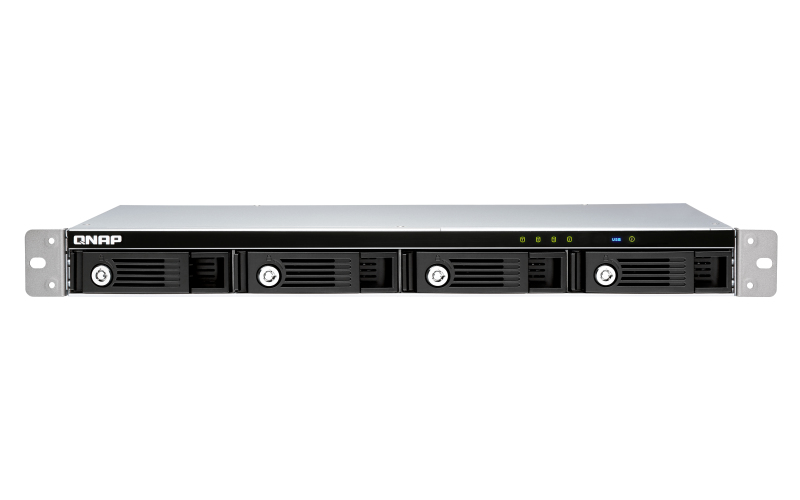
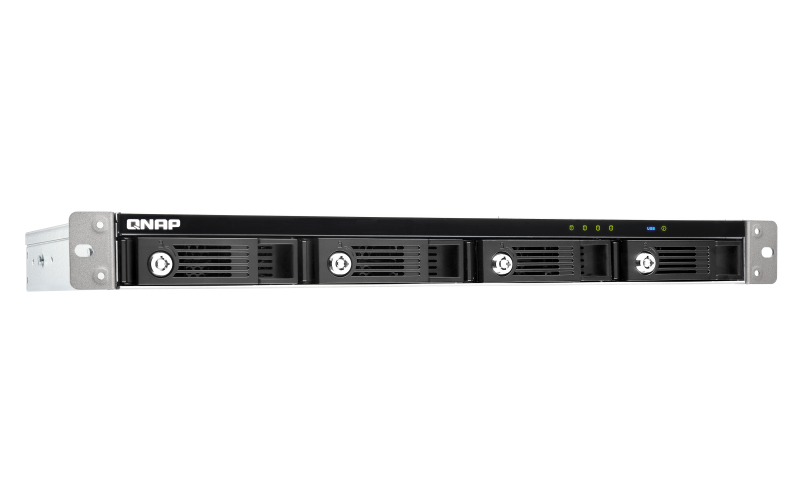
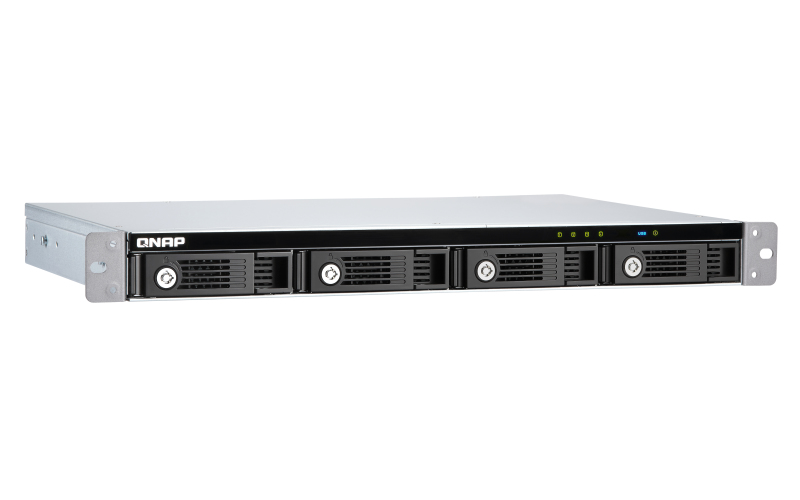
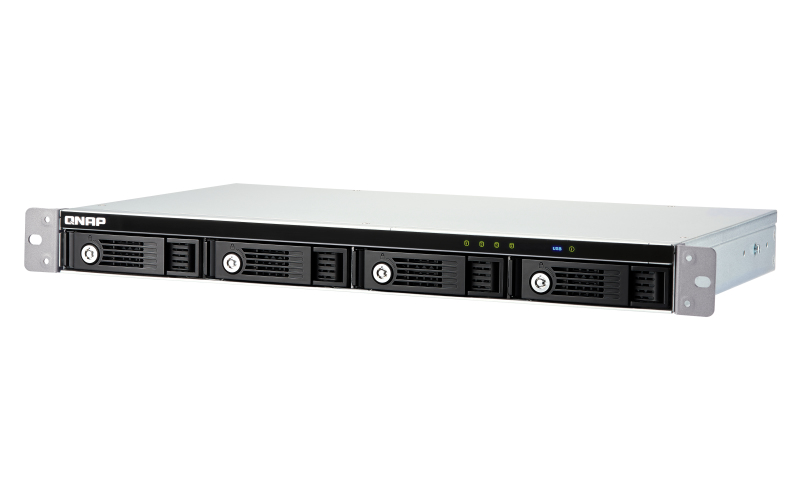
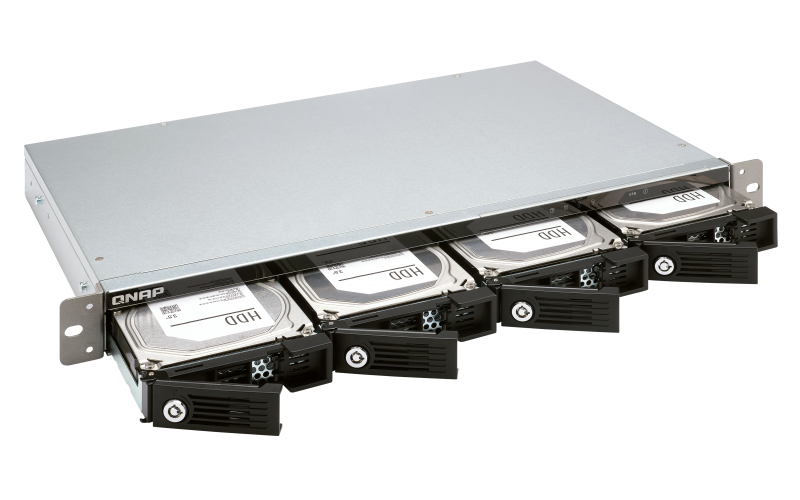
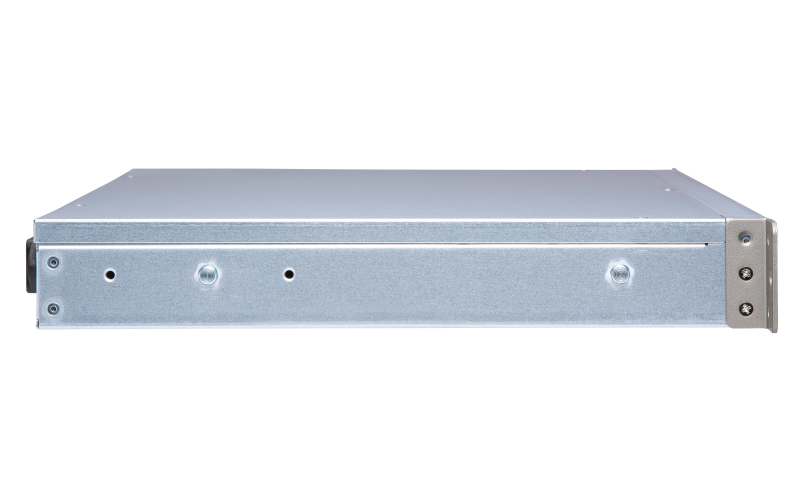
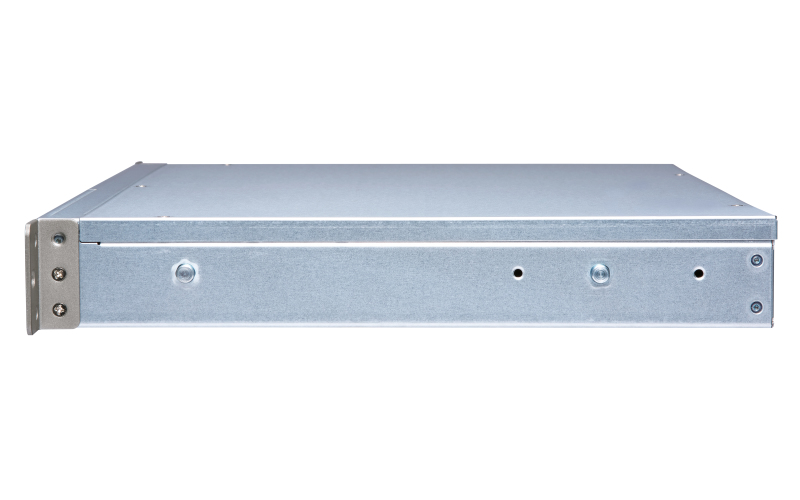
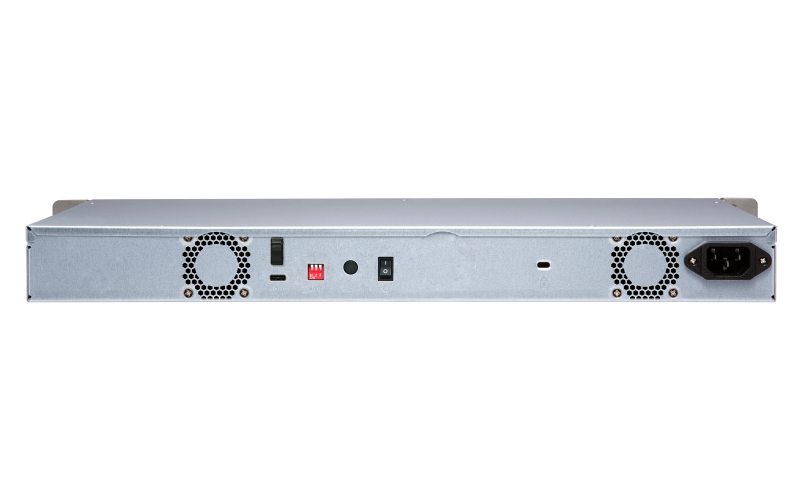
QNAP TR-004U storage drive enclosure HDD/SSD enclosure Black, Grey 2.5/3.5"
- Brand: QNAP
- Category:
- SKU: TR-004U
- EAN: 4713213515778 0885022017706
4x 3.5" SATA, 1x USB 3.2 Gen 1 Type-C, 1U, 100 W, 100-240V, 439 x 291 x 44 mm, 4.77 kg
Offer details
Trade Prices
| Distributor | Product | SKU | Stock | Updated | Price |
|---|---|---|---|---|---|

|
TR-004U 4 Bay Expansion Rackmount |
232469 | |||

|
TR-004U 1U 4 BAY EXP UNIT |
Y993903 | |||

|
4-bay 1U 12in short-depth rackmount 3.5in SATA HDD USB 3.0 type-C hardware RAID external enclosure. 1M USB 3.0 type-C to type-A cable included. Expansion unit for QNAP NAS Windows Mac Linux computers. |
TR-004U | |||

|
QNAP TR-004U - Hard drive array - 4 bays (SATA-300) - USB 3.1 Gen 1 (external) - rack-mountable - 1U View on InTouch |
7766844 | |||
| Tech Data - Sweden |
QNAP TR-004U - Hårddiskarray - 4 fack (SATA-300) - USB 3.1 Gen 1 (extern) - kan monteras i rack - 1U |
5348400 |
Retail Prices
| Merchant | Product | Condition | Updated | Price |
|---|---|---|---|---|
| Novatech Ltd | QNAP TR-004U 4 x Total Bays DAS Storage System Rack-mountable - Serial ATA/300 Controller - RAID Supported - 0, 1, 5, 10, JBOD RAID Levels | New | 20202 hours ago | £358.33 |
| Ebuyer | Qnap Tr-004u 4 Bay Expansion Desktop | New | 19554 hours ago | £332.99 |

Description
The TR-004U USB 3.2 Gen 1 RAID expansion enclosure allows you to expand the capacity of your QNAP NAS and PC. The TR-004U can also be utilized as a DAS (Direct-attached Storage) device, allowing you to directly access its content by connecting it via USB. The TR-004U features four 3.5-inch SATA drive bays with multiple RAID configuration options and USB 3.2 Gen 1 Type-C connectivity to bring you a highly-reliable and secure storage capacity expansion solution.
Supports various RAID levels
The TR-004U supports a variety of RAID configurations. Depending on your requirements, you can switch between hardware- or software-controlled RAID modes. Move the DIP switches to corresponding positions for your ideal RAID mode: Individual, JBOD, RAID 0, RAID 1/10 or RAID 5. You can also configure the RAID settings from your QNAP NAS, or by using the QNAP External RAID Manager utility on your computer.
Individual Mode
Treats every disk as separate storage spaces, allowing you to independently access each one.
JBOD Mode
All the disks are recognized as a single drive. This allows maximal storage utilization but provides no data protection.
RAID 0 Mode
Data is split amongst the drives. RAID 0 provides the fastest performance but does not protect data from drive failure.
RAID 1/10 Mode
Half of the total storage capacity is used to store data, and the other half keeps a copy of this data. This provides high data protection at the cost of only being able to use half the installed storage space.
RAID 5 Mode
RAID 5 requires at least three drives to use and parity information is distributed among the drives, providing optimized storage capacity and protection against one disk failing.
Software Ctrl Mode
Use this mode to control the RAID configuration from your NAS or computer.
Flexible storage configuration and management
Compared with other RAID enclosures, the TR-004U provides software-controlled configurations for greater management flexibility. Users can configure RAID and monitor disk health using the Storage & Snapshots Manager on a QNAP NAS, or by using the QNAP External RAID Manager utility on their computer.
Versatile usage scenarios to meet storage expansion needs
The TR-004U meets many storage expansion requirements for home and work use, including:
Scenario 1: Expand the capacity of your NAS
The TR-004U provides an alternative method for users to expand their rackmount NAS storage capacity. By connecting the TR-004U to their NAS and using the Storage & Snapshots Manager, users can easily configure and manage their storage expansion. The TR-004U supports a variety of QNAP NAS storage and file management functions, allowing users to build storage pools, find files with Qsirch and organize files with Qfiling.
Use the TR-004U as an alternative to conventional NAS expansion enclosures
As an external hardware RAID device, the TR-004U operates independently and does not require additional NAS system resources. When compared with the UX-500P expansion enclosure, the TR-004U uses less NAS system resources.
Scenario 2: External storage for your NAS
Instead of using the TR-004U to expand the capacity of your QNAP NAS, you can use it as a complimentary storage unit for backing up or moving data. It also allows you to physically migrate huge data collections that would require significant network bandwidth. While connected to the NAS, you can monitor the health and status of the TR-004U by using the Storage & Snapshots Manager on the NAS.
Scenario 3: Expand the storage space of your computer and server
The TR-004U can quickly add storage space to your computer and server. You can use the DIP switch to configure a hardware RAID mode or manage it by using the QNAP External RAID Manager utility. The health and status of the TR-004U can also be monitored by using the QNAP External RAID Manager utility.
*The QNAP External RAID Manager requires Windows 7 (or later), Windows Server 2012 R2 (or later) and macOS 10.13 (or later).
Scenario 4: Cross-platform file sharing
From your NAS to Windows, Mac, and Linux computers, the TR-004U is compatible with a wide range of devices. This makes it ideal for quickly moving large files between different devices. The TR-004U is even compatible with devices that use the exFAT file system*, adding further convenience for accessing and sharing files from a wider range of devices.
*To access devices that use the exFAT file system, users must purchase a separate exFAT driver license.
Supports various RAID levels
The TR-004U supports a variety of RAID configurations. Depending on your requirements, you can switch between hardware- or software-controlled RAID modes. Move the DIP switches to corresponding positions for your ideal RAID mode: Individual, JBOD, RAID 0, RAID 1/10 or RAID 5. You can also configure the RAID settings from your QNAP NAS, or by using the QNAP External RAID Manager utility on your computer.
Individual Mode
Treats every disk as separate storage spaces, allowing you to independently access each one.
JBOD Mode
All the disks are recognized as a single drive. This allows maximal storage utilization but provides no data protection.
RAID 0 Mode
Data is split amongst the drives. RAID 0 provides the fastest performance but does not protect data from drive failure.
RAID 1/10 Mode
Half of the total storage capacity is used to store data, and the other half keeps a copy of this data. This provides high data protection at the cost of only being able to use half the installed storage space.
RAID 5 Mode
RAID 5 requires at least three drives to use and parity information is distributed among the drives, providing optimized storage capacity and protection against one disk failing.
Software Ctrl Mode
Use this mode to control the RAID configuration from your NAS or computer.
Flexible storage configuration and management
Compared with other RAID enclosures, the TR-004U provides software-controlled configurations for greater management flexibility. Users can configure RAID and monitor disk health using the Storage & Snapshots Manager on a QNAP NAS, or by using the QNAP External RAID Manager utility on their computer.
Versatile usage scenarios to meet storage expansion needs
The TR-004U meets many storage expansion requirements for home and work use, including:
Scenario 1: Expand the capacity of your NAS
The TR-004U provides an alternative method for users to expand their rackmount NAS storage capacity. By connecting the TR-004U to their NAS and using the Storage & Snapshots Manager, users can easily configure and manage their storage expansion. The TR-004U supports a variety of QNAP NAS storage and file management functions, allowing users to build storage pools, find files with Qsirch and organize files with Qfiling.
Use the TR-004U as an alternative to conventional NAS expansion enclosures
As an external hardware RAID device, the TR-004U operates independently and does not require additional NAS system resources. When compared with the UX-500P expansion enclosure, the TR-004U uses less NAS system resources.
Scenario 2: External storage for your NAS
Instead of using the TR-004U to expand the capacity of your QNAP NAS, you can use it as a complimentary storage unit for backing up or moving data. It also allows you to physically migrate huge data collections that would require significant network bandwidth. While connected to the NAS, you can monitor the health and status of the TR-004U by using the Storage & Snapshots Manager on the NAS.
Scenario 3: Expand the storage space of your computer and server
The TR-004U can quickly add storage space to your computer and server. You can use the DIP switch to configure a hardware RAID mode or manage it by using the QNAP External RAID Manager utility. The health and status of the TR-004U can also be monitored by using the QNAP External RAID Manager utility.
*The QNAP External RAID Manager requires Windows 7 (or later), Windows Server 2012 R2 (or later) and macOS 10.13 (or later).
Scenario 4: Cross-platform file sharing
From your NAS to Windows, Mac, and Linux computers, the TR-004U is compatible with a wide range of devices. This makes it ideal for quickly moving large files between different devices. The TR-004U is even compatible with devices that use the exFAT file system*, adding further convenience for accessing and sharing files from a wider range of devices.
*To access devices that use the exFAT file system, users must purchase a separate exFAT driver license.
Specifications
| Storage | |
|---|---|
| Number of storage drives supported | 4 |
| Supported storage drive interfaces | Serial ATA II |
| Storage drive size | 2.5/3.5" |
| RAID levels | 0, 1, 5, 10, JBOD |
| Hot-swap | Yes |
| Ports & interfaces | |
| USB connectivity | Yes |
| USB version | 3.2 Gen 1 (3.1 Gen 1) |
| USB connector type | USB Type-C |
| USB connector gender | Female |
| USB ports quantity | 1 |
| Design | |
| Product type | HDD/SSD enclosure |
| Key lock | Yes |
| Rack mounting | Yes |
| Rack capacity | 1U |
| Number of fans | 2 fan(s) |
| LED indicators | Yes |
| Fan diameter | 4 cm |
| Product colour | Black, Grey |
| Performance | |
| Supported file systems | HFS+, NTFS, exFAT, ext3, ext4 |
| Data transfer rate | 6 Gbit/s |
| Power | |
| Power source type | AC |
| AC adapter input voltage | 100 - 240 V |
| AC adapter input current | 3.5 A |
| AC adapter frequency | 50 - 60 Hz |
| Operational conditions | |
| Storage temperature (T-T) | -20 - 70 °C |
| Operating temperature (T-T) | 0 - 40 °C |
| Operating relative humidity (H-H) | 5 - 95% |
| Weight & dimensions | |
| Weight | 4.77 kg |
| Width | 439 mm |
| Depth | 291 mm |
| Height | 44 mm |
| Package weight | 5.62 kg |
| Package width | 542 mm |
| Package depth | 415 mm |
| Package height | 179 mm |
| Packaging content | |
| Screws included | Yes |
| Number of keys included | 2 pc(s) |
| Manual | Yes |
| AC adapter included | Yes |
| Cables included | AC, USB Type-A to USB Type-C |
| Other features | |
| Host interface | 1 x Type-C USB 3.2 Gen 1 |
| Logistics data | |
| Harmonized System (HS) code | 84733080 |