


Offer details
Trade Prices
| Distributor | Product | SKU | Stock | Updated | Price |
|---|---|---|---|---|---|


|
HP B300 PC MOUNTING BRACKET View on Webshop |
2DW53AA | |||


|
B300 PC Mounting Bracket |
2DW53AA | |||

|
B300 PC MOUNTING BRACKET |
2M3JN17 | |||
| SWS (Part of Also) |
Montážní držák HP B300 PC |
8963256 | |||

|
B300 - Mounting kit (mount bracket) - for LCD display / thin client - mounting interface: 100 x 100 mm - for HP 260 G4, t430 v2, t540, Elite 600 G9, 800 G9, t655, Pro 260 G9, t550, ProDesk 405 G8 View on InTouch |
4432405 | |||
| Tech Data - Sweden |
Monteringssats (monteringskonsol) för LCD-skärm/tunn klient-monteringsgränssnitt 100 x 100 mm - för EliteDisplay E223, E233, E243, E243i |
4432405 |
| Alternative Suppliers | |||||
|---|---|---|---|---|---|
| The Change |
B300 PC Mounting Bracket |
2DW53AA | |||
Related Products
-
 Category: Computer Monitors
 -
 Category: Computer Monitors
 -
 Category: Computer Monitors
 -
 Category: Computer Monitors
 -
 Category: Computer Monitors
 -
 HP E24t G4 computer monitor 60.5 cm (23.8") 1920 x 1080 pixels Full HD LED Touchscreen Black, SilverCategory: Computer Monitors
 -
Category: Computer Monitors
-
 Category: Computer Monitors
 -
 Category: Computer Monitors
 -
 Category: Computer Monitors
 -
 Category: Computer Monitors
 -
 Category: Computer Monitors
 -
 Category: Computer Monitors
 -
 Category: Computer Monitors
 -
 Category: Computer Monitors
 -
 Category: Computer Monitors
 -
Category: Computer Monitors
-
 Category: Computer Monitors
-
 Category: Thin Clients
 -
 Category: Thin Clients
 -
 Category: Thin Clients
 -
 Category: Thin Clients
 -
 Category: Thin Clients
 -
Category: Thin Clients
-
Category: Thin Clients
-
Category: Thin Clients
-
Category: Thin Clients
-
Category: Thin Clients
-
 Category: Thin Clients
 -
Category: Thin Clients
-
 Category: Thin Clients
 -
Category: Thin Clients
-
Category: Thin Clients
-
 Category: Thin Clients
 -
 Category: Thin Clients
 -
Category: Thin Clients
-
Category: Thin Clients
-
Category: Thin Clients
-
Category: Thin Clients
-
Category: Thin Clients
-
Category: Thin Clients
-
Category: Thin Clients
-
Category: Thin Clients
-
Category: Thin Clients
-
Category: Thin Clients
-
Category: Thin Clients
-
Category: Thin Clients
-
Category: Thin Clients
-
Category: Thin Clients
-
Category: Thin Clients
-
Category: Thin Clients
-
Category: Thin Clients
-
Category: Thin Clients
-
Category: Thin Clients
-
Category: Thin Clients
-
 Category: Thin Clients
 -
Category: Thin Clients
-
Category: Thin Clients
-
Category: Thin Clients
-
Category: Thin Clients
-
Category: Thin Clients
-
Category: Thin Clients
-
Category: Thin Clients
-
Category: Thin Clients
-
Category: Thin Clients
-
Category: Thin Clients
-
Category: Thin Clients
-
Category: Thin Clients
-
Category: Thin Clients
-
Category: Thin Clients
-
 Category: Thin Clients
 -
Category: Thin Clients
-
Category: Thin Clients
-
Category: Thin Clients
-
Category: Thin Clients
-
Category: Thin Clients
-
Category: Thin Clients
-
Category: Thin Clients
-
Category: Thin Clients
-
Category: Thin Clients
-
Category: Thin Clients
-
Category: Thin Clients
-
Category: Thin Clients
-
 Category: Thin Clients
 -
 Category: Thin Clients
 -
Category: Thin Clients
-
Category: Thin Clients
-
 Category: Thin Clients
 -
Category: Thin Clients
-
Category: Thin Clients
-
Category: Thin Clients
-
Category: Thin Clients
-
Category: Thin Clients
-
Category: Thin Clients
-
Category: Thin Clients
-
Category: Thin Clients
-
Category: Thin Clients
-
Category: Thin Clients
-
Category: Thin Clients
-
Category: Thin Clients
-
Category: Thin Clients
-
Category: Thin Clients
-
Category: Thin Clients
-
Category: Thin Clients
-
Category: Thin Clients
-
Category: Thin Clients
-
Category: Thin Clients
-
Category: Thin Clients
-
Category: Thin Clients
-
Category: Thin Clients
-
Category: Thin Clients
-
Category: Thin Clients
-
 Category: Thin Clients
 -
Category: Thin Clients
-
Category: Thin Clients
-
 Category: Thin Clients
 -
Category: Thin Clients
-
Category: Thin Clients
-
Category: Thin Clients
-
Category: Thin Clients
-
Category: Thin Clients
-
Category: Thin Clients
-
Category: Thin Clients
-
 Category: PCs/Workstations
 -
Category: PCs/Workstations
-
Category: PCs/Workstations
-
Category: PCs/Workstations
-
Category: PCs/Workstations
-
Category: PCs/Workstations
-
Category: PCs/Workstations
-
Category: PCs/Workstations
-
Category: PCs/Workstations
-
Category: PCs/Workstations
-
Category: PCs/Workstations
-
Category: PCs/Workstations
-
Category: PCs/Workstations
-
Category: PCs/Workstations
-
 Category: PCs/Workstations
 -
Category: PCs/Workstations
-
Category: PCs/Workstations
-
Category: PCs/Workstations
-
Category: PCs/Workstations
-
Category: PCs/Workstations
-
Category: PCs/Workstations
-
Category: PCs/Workstations
-
Category: PCs/Workstations
-
Category: PCs/Workstations
-
Category: PCs/Workstations
-
Category: PCs/Workstations
-
Category: PCs/Workstations
-
Category: PCs/Workstations
-
Category: PCs/Workstations
-
Category: PCs/Workstations
-
Category: PCs/Workstations
-
Category: PCs/Workstations
-
Category: PCs/Workstations
-
Category: PCs/Workstations
-
 Category: PCs/Workstations
 -
Category: PCs/Workstations
-
Category: PCs/Workstations
-
Category: PCs/Workstations
-
Category: PCs/Workstations
-
Category: PCs/Workstations
-
Category: PCs/Workstations
-
Category: PCs/Workstations
-
Category: PCs/Workstations
-
 Category: PCs/Workstations
 -
Category: PCs/Workstations
-
Category: PCs/Workstations
-
Category: PCs/Workstations
-
Category: PCs/Workstations
-
Category: PCs/Workstations
-
 Category: PCs/Workstations
 -
Category: PCs/Workstations
-
Category: PCs/Workstations
-
Category: PCs/Workstations
-
 Category: PCs/Workstations
 -
 Category: PCs/Workstations
 -
Category: PCs/Workstations
-
Category: PCs/Workstations
-
Category: PCs/Workstations
-
Category: PCs/Workstations
-
 Category: PCs/Workstations
 -
Category: PCs/Workstations
-
Category: PCs/Workstations
-
 Category: PCs/Workstations
Reasons To Buy
Work comfortably
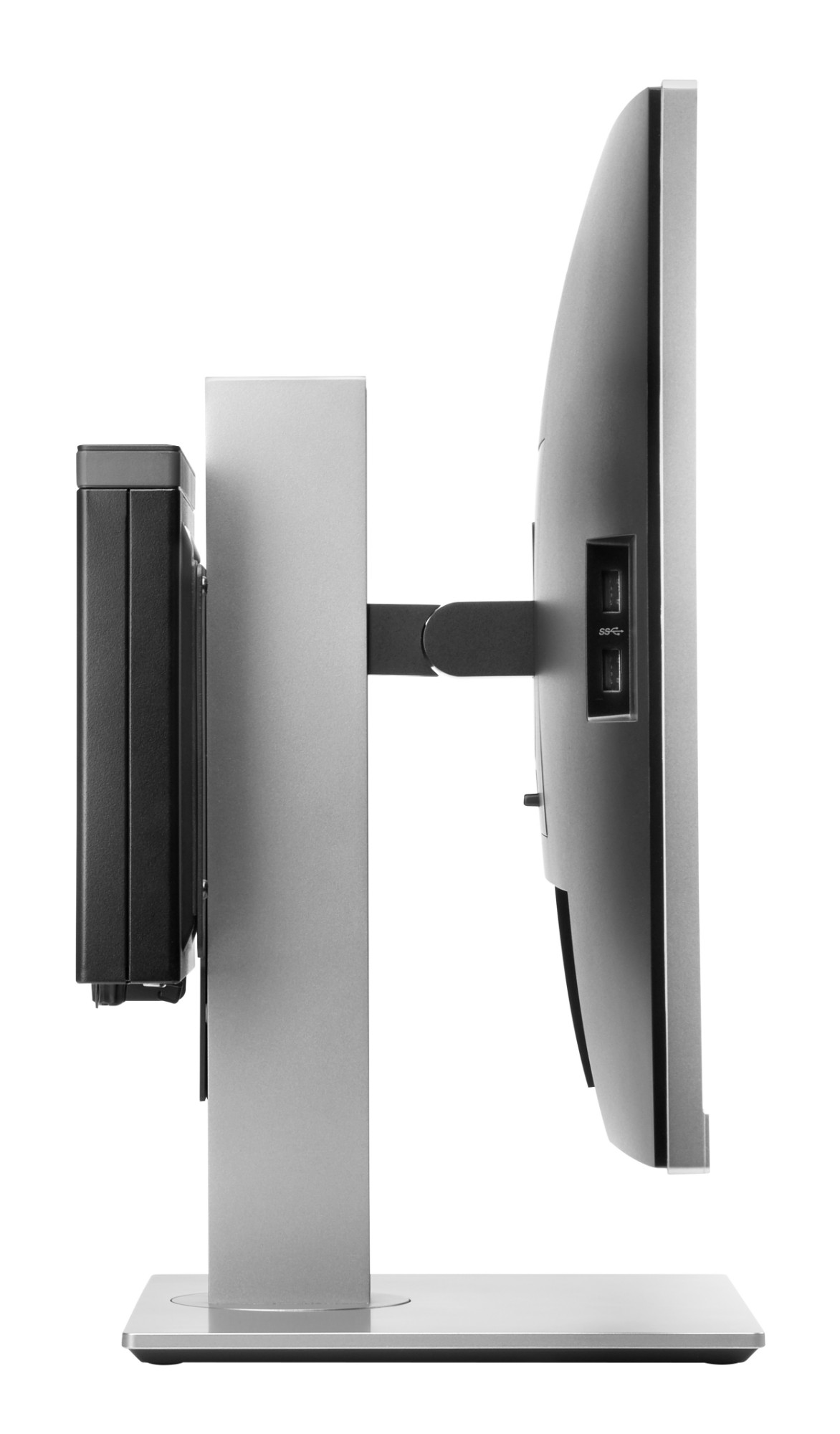
Retain the comfort features of your 2017 or 2018 HP Elite Display or HP Z Display. The bracket doesn’t interfere with the monitor’s height adjustment, tilt, swivel or pivot settings.
Rest easy
Get the reassurance of a one-year limited warranty.
Make room and keep things tidy
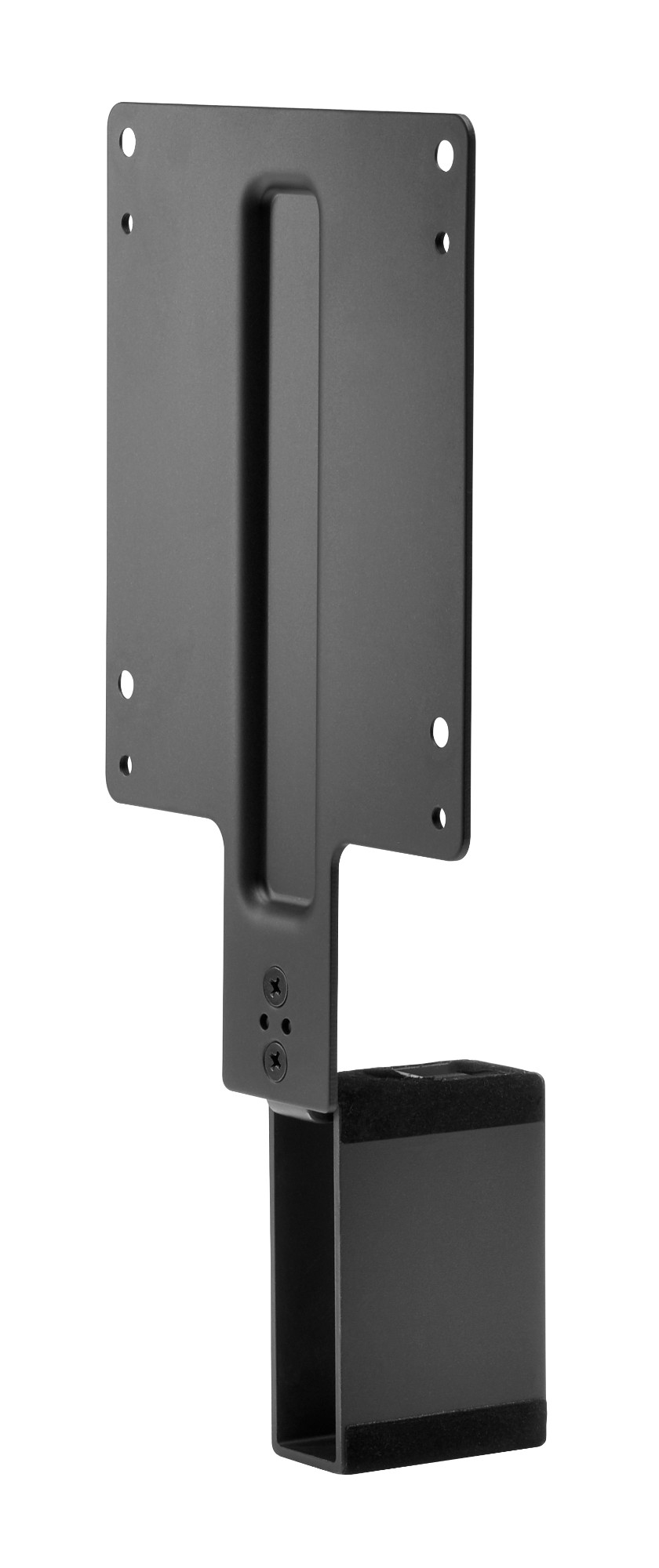
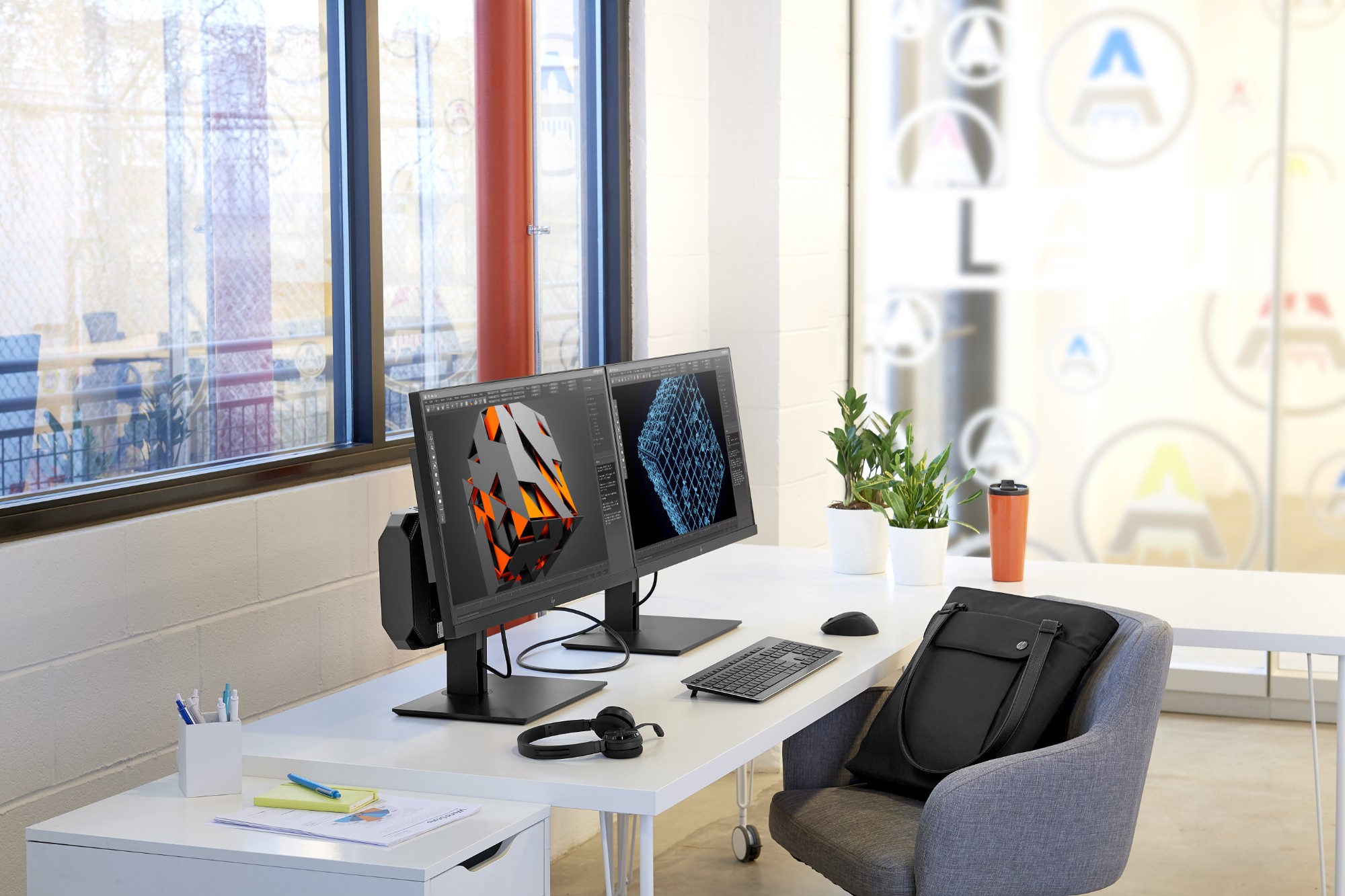
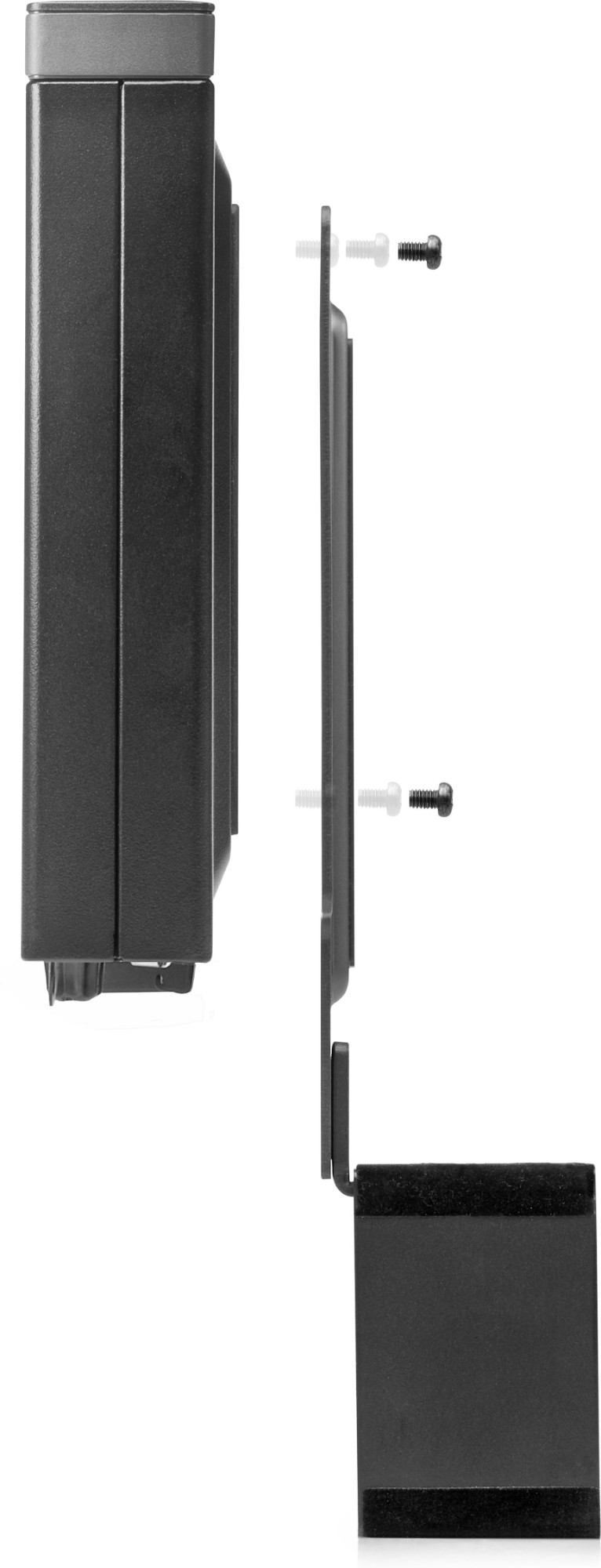
Maximize your available work area with a single-footprint solution. Simply attach the bracket to the back of your display’s stand, and your PC platform to the bracket. It’s that easy! Reduce cable clutter with short USB A to B and DisplayPort™ cables.
Description
Customize an altogether better solution with the HP B300 PC Mounting Bracket, which lets you attach your HP Workstation, HP Desktop Mini, HP Chromebox or select HP Thin Client directly behind select 2017 and 2018 HP EliteDisplays and HP Z Displays.[1]
Specifications
| Technical details | |
|---|---|
| Country of origin | China |
| VESA mounting | Yes |
| Panel mounting interface | 100 x 100 mm |
| Product colour | Black |
| UNSPSC-code | 31162313 |
| HP segment | Business |
| Compatibility | Desktop PCs: Compatible with HP Desktop Mini Business PCs and HP Chromebox that have a 100 mm x 100 mm VESA mount.; Thin Clients: Compatible with most HP Thin Clients that have a 100 mm x 100 mm VESA mount.; Workstations: Compatible with HP Workstation Mini that have a 100mm x 100mm VESA mount (select displays only, not all displays can support weight of Z2 Mini) |
| General Product Safety Regulation (GPSR) URL | https://support.hp.com/us-en/document/ish_6126692-6126777-16?openCLC=true |
| Weight & dimensions | |
| Weight | 318 g |
| Width | 246.3 mm |
| Depth | 115 mm |
| Height | 51.9 mm |
| Packaging data | |
| Screws included | Yes |
| Package width | 285 mm |
| Package height | 85 mm |
| Package depth | 135 mm |
| Package weight | 450 g |